
How to create a trip report
The trip report is how your team’s participation in the Grabatón is recorded. Here you can gather all your checklists, including photos and audio recordings, and share them through a single link.
What is a trip report?
It is an eBird tool that allows you to group multiple checklists in one place and share them through a single link.
For the Grabatón, each team must create a single trip report.
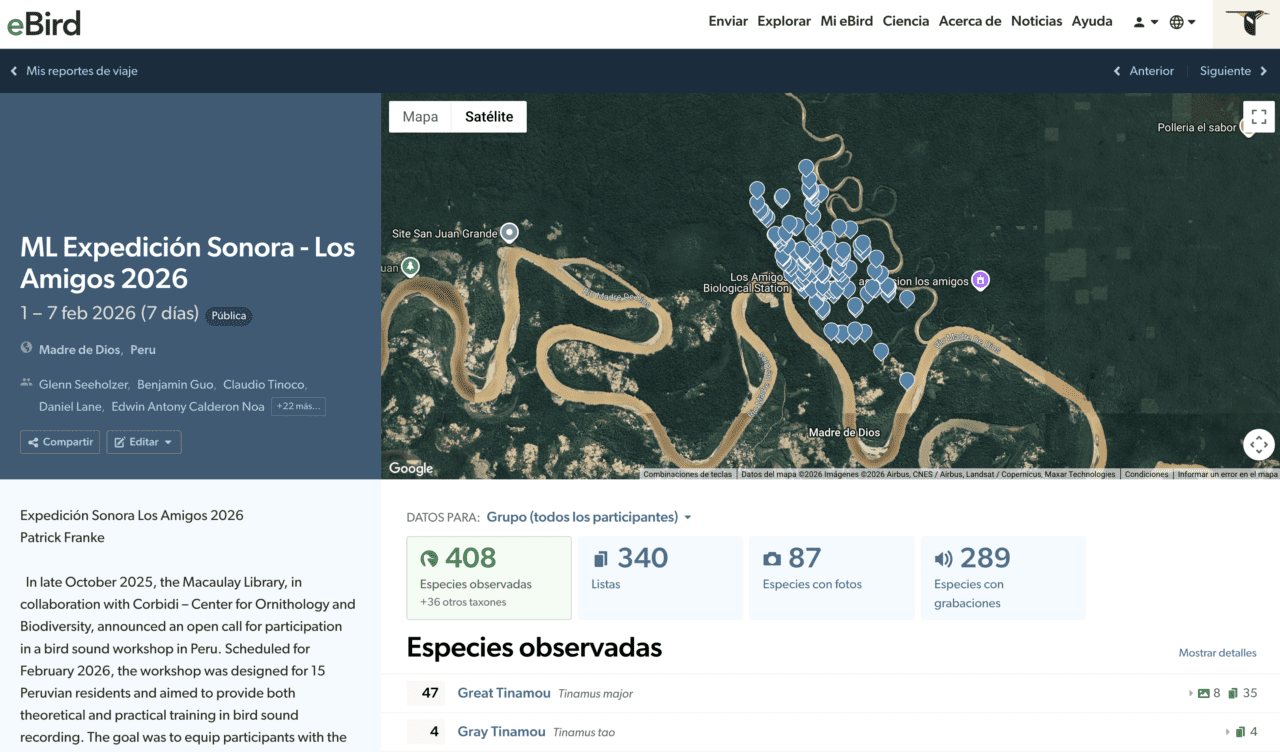
How to create your trip report
1️⃣ Go to eBird
Visit ebird.org and log in to your account.
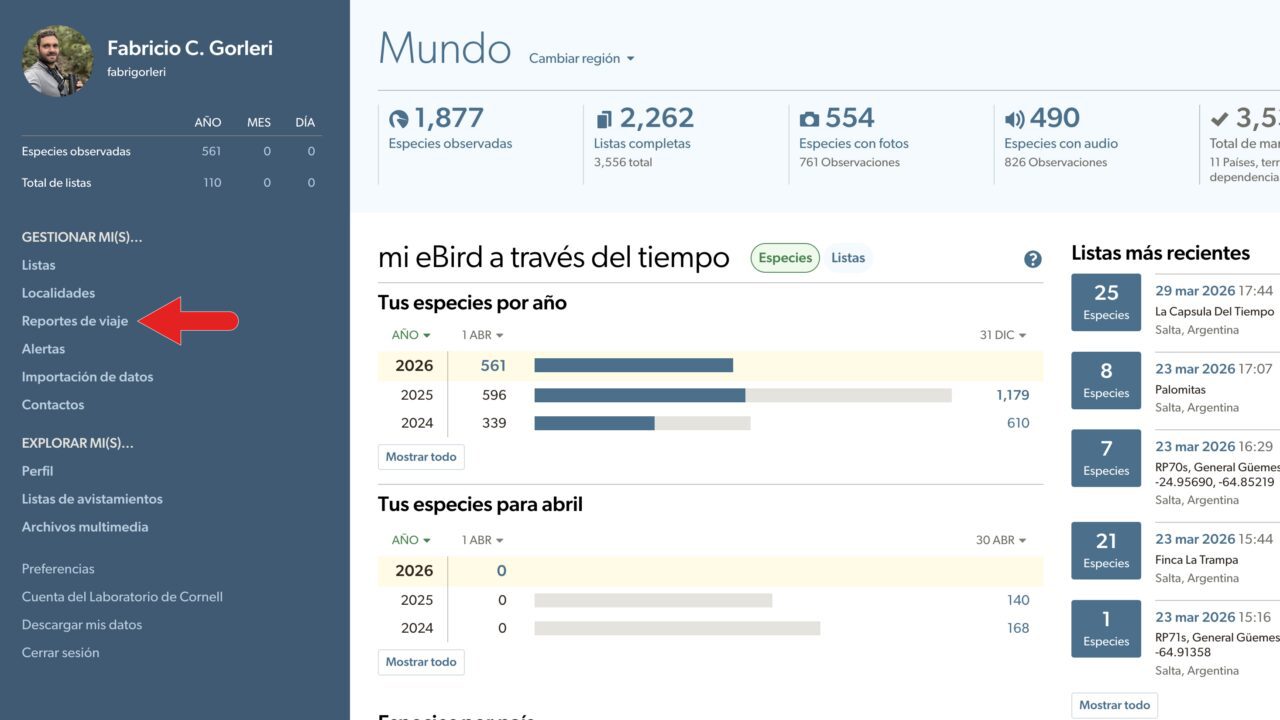
2️⃣ Go to “My eBird” → “Trip Reports”
You can also access it directly here: https://ebird.org/mytripreports
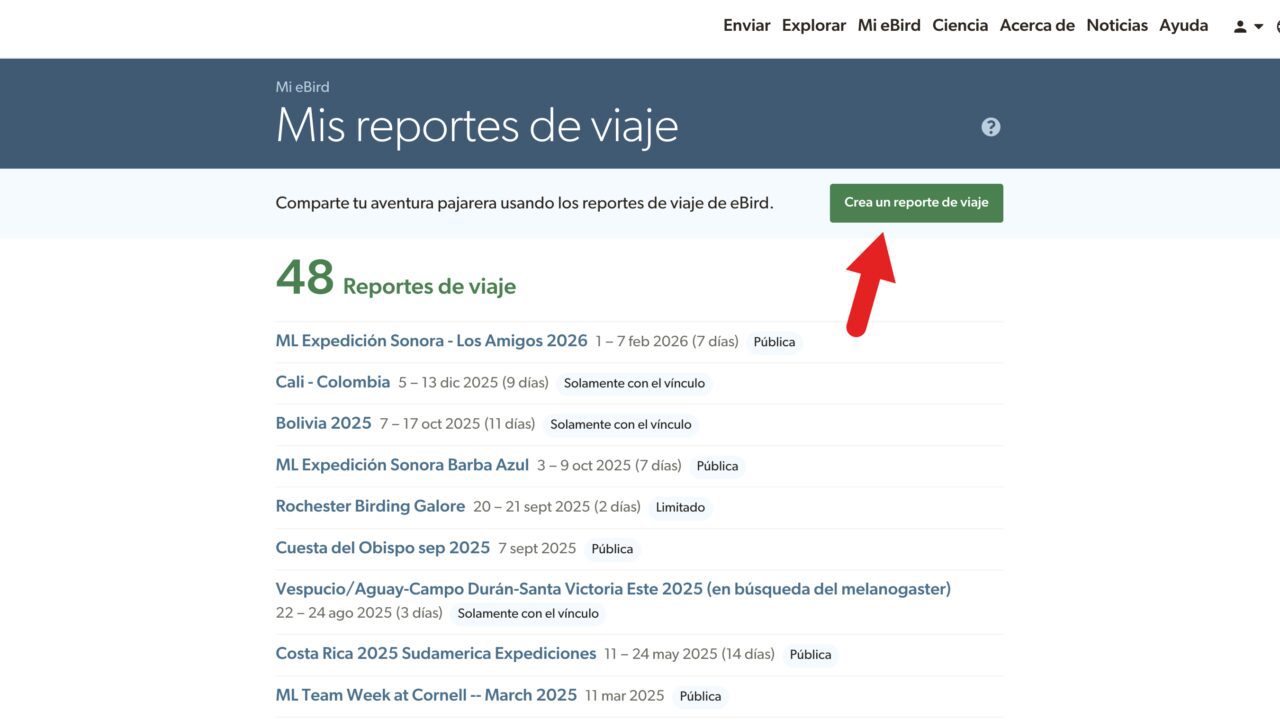
3️⃣ Create a new report
Click “Create a Trip Report”.
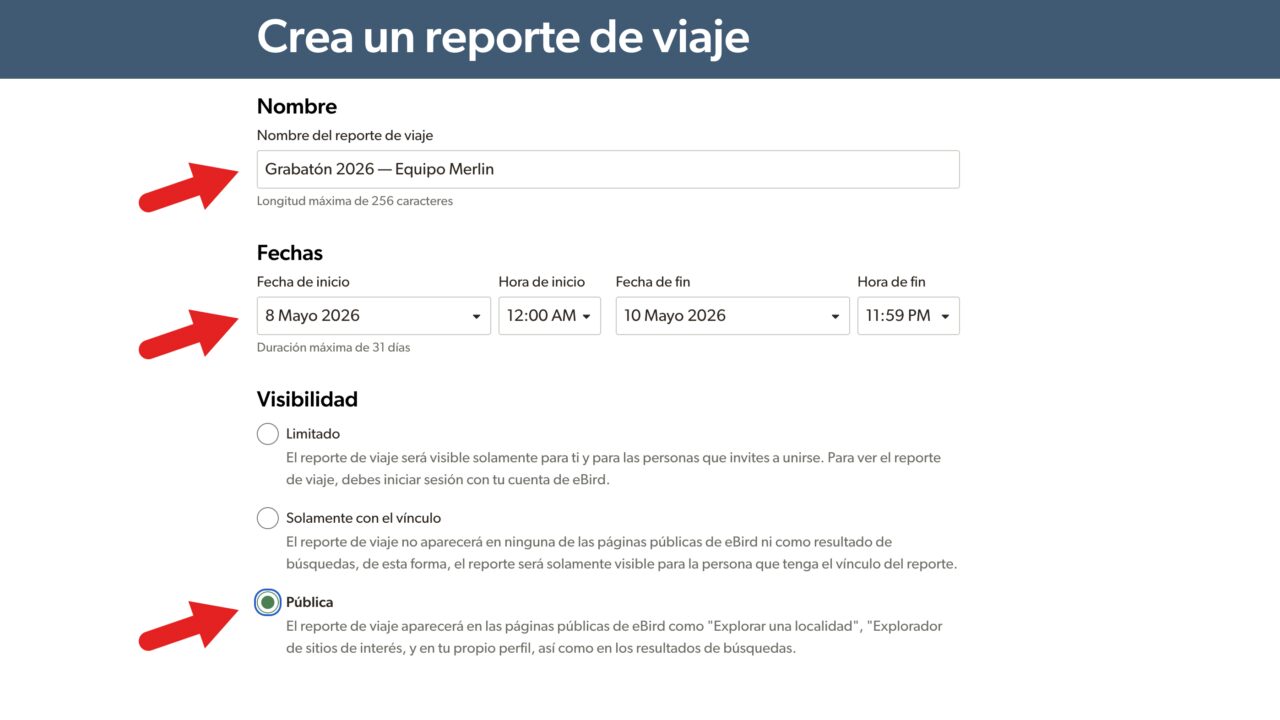
4️⃣ Fill in the details
- Name → e.g. Grabatón 2026 – Southern Birds Team
- Date → May 8–10, 2026 (can be set in the future)
- Visibility → Public
IMPORTANT: Make sure your report is public so it can be validated.
5️⃣ Save and review
Save your report to continue.
💡 Tip:
- If you create the report before the Grabatón, checklists within the date range will be added automatically
- If you create it after the event, you will need to select them manually
Add participants
Once your report is created:
- Click “Add participants”
- Add their eBird usernames or email addresses
- Assign them the Editor role
- Team members will need to accept the invitation from their accounts
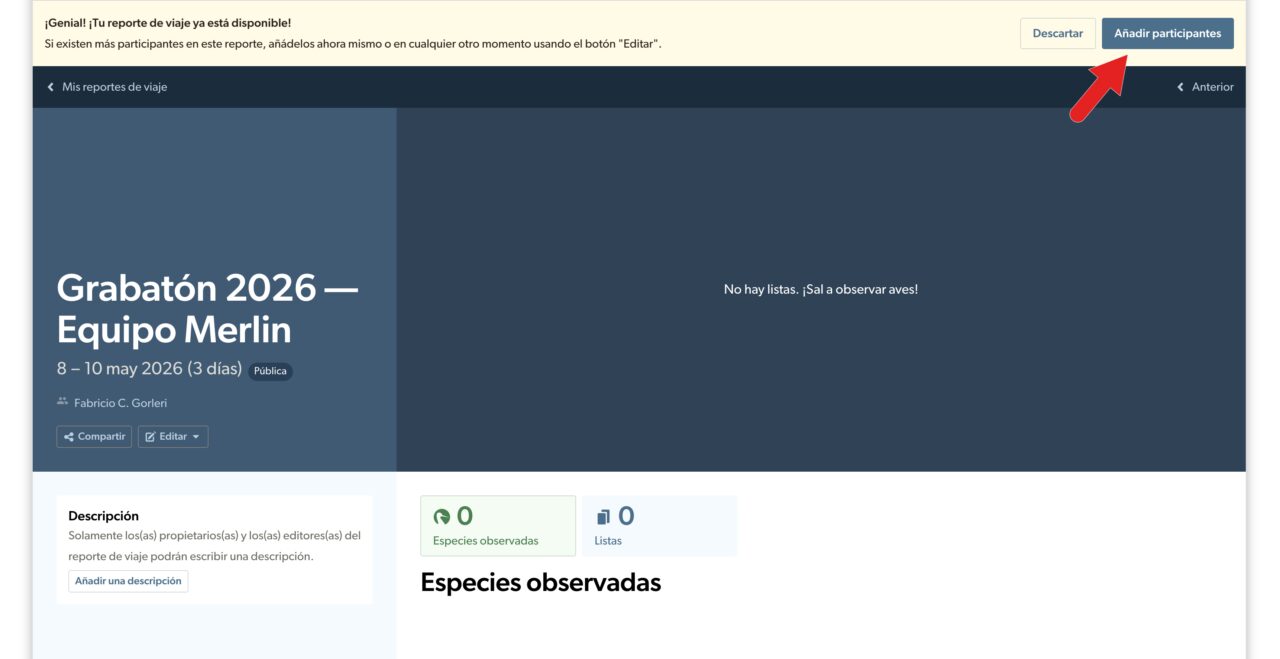
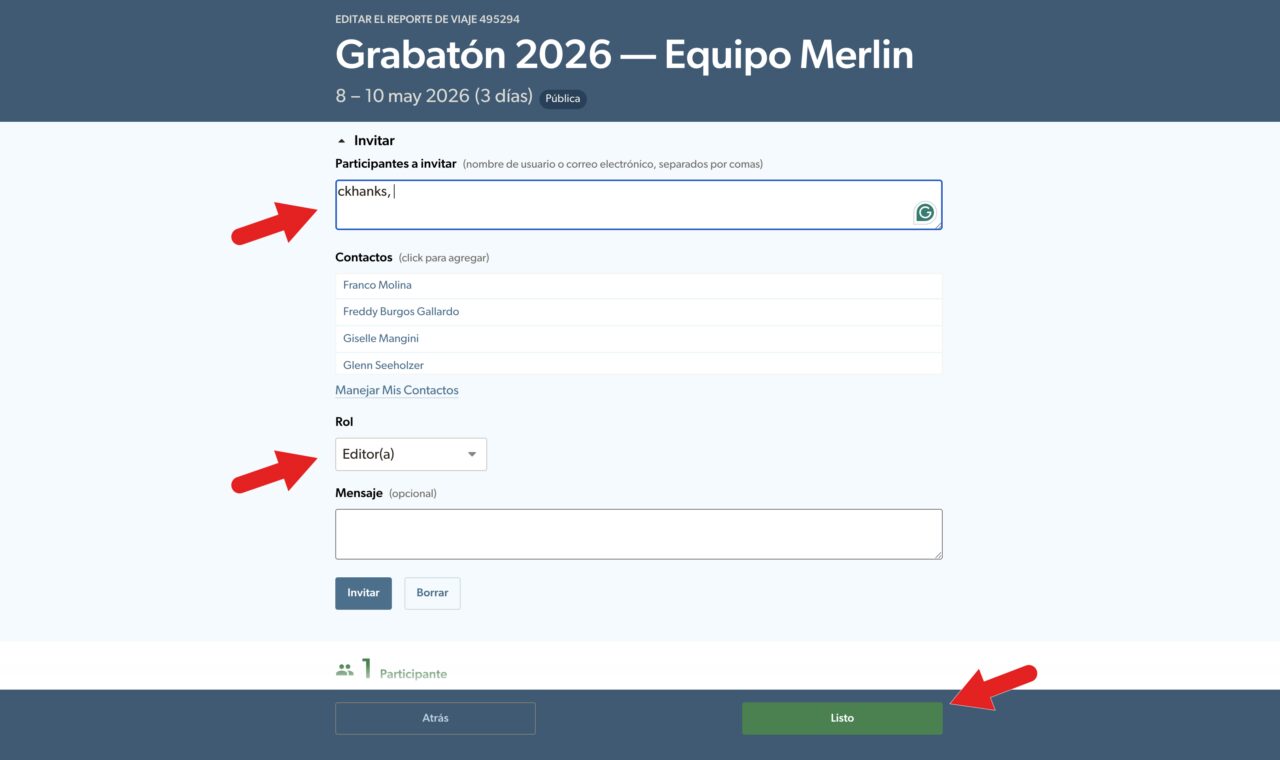
Tip: You can add participants during or after the Grabatón.
Share the report
- Open the report
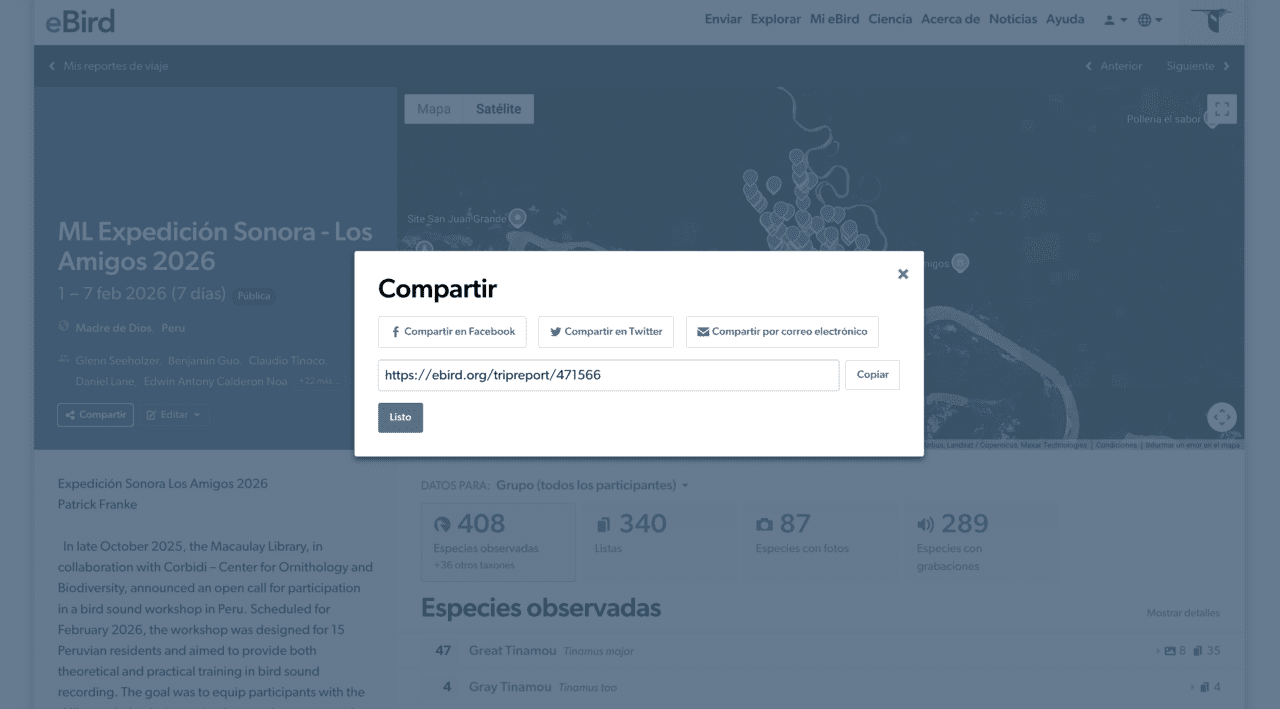
- Copy the link or click “Share”
- Send it to your team
👉 This is the link you must submit in the Grabatón form.
Helpful tips
- Team members do not need to record in the same location
- You can create the report before the event
- One team member can manage the report
- Make sure to upload audio to eBird
All set!
Once your report is ready, register your team for the Grabatón.
Frequently Asked Questions
No. Each team must have a single trip report.
Yes. You can continue adding checklists or participants at any time.
No. They can be from different locations.
Yes. The report must be public so it can be validated.
Any team member can create it.
Yes, ideally all team members should be added to the report.