Upload your recordings to eBird
Uploading your audios to eBird is the final (and most important!) step of the whole process. Every recording you share becomes a scientific record stored in the Macaulay Library, where researchers, conservationists, and developers of tools like Merlin Sound ID can use it.
1️⃣ Find the correct checklist
Before uploading, make sure you have already submitted your species checklist in eBird.
Your recordings must be associated with the checklist corresponding to the time and place where you recorded the bird.
- Go to ebird.org and log in.
- Find the checklist where you reported the species you recorded (you can do this from the “My eBird” tab).
💡 If you haven’t submitted that checklist yet, do that first — only submitted checklists allow you to add media files.
2️⃣ Add media files
Inside the chosen checklist, you will see a green button in the upper right corner that says:
“Add media”
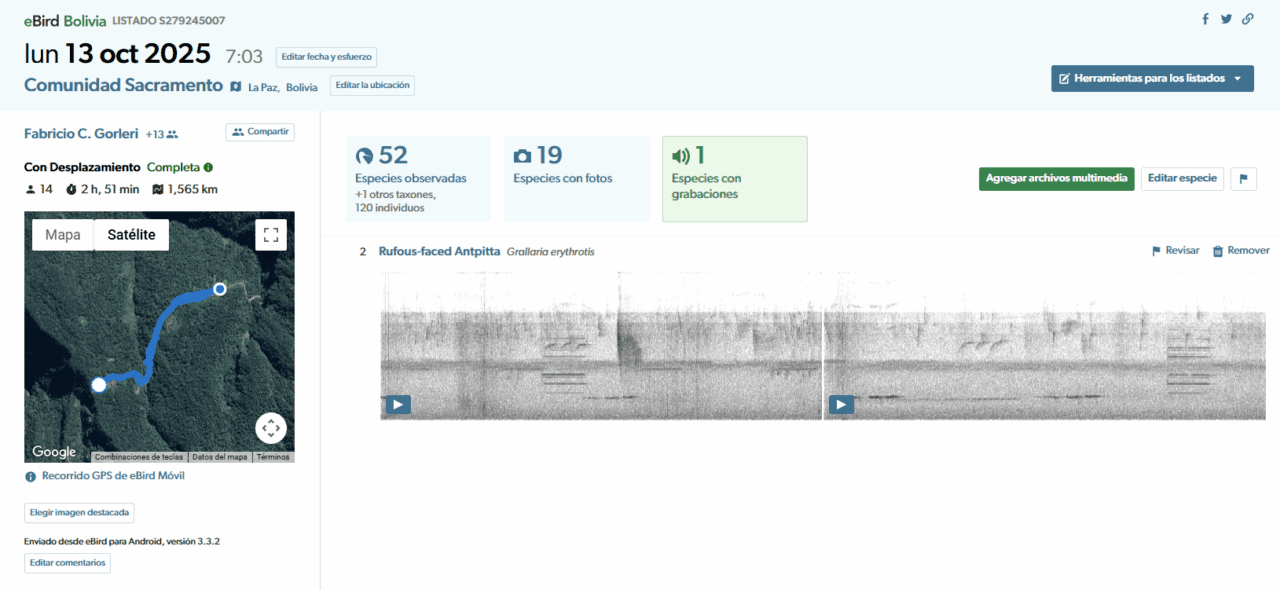
Click there to start uploading your recordings or photos.
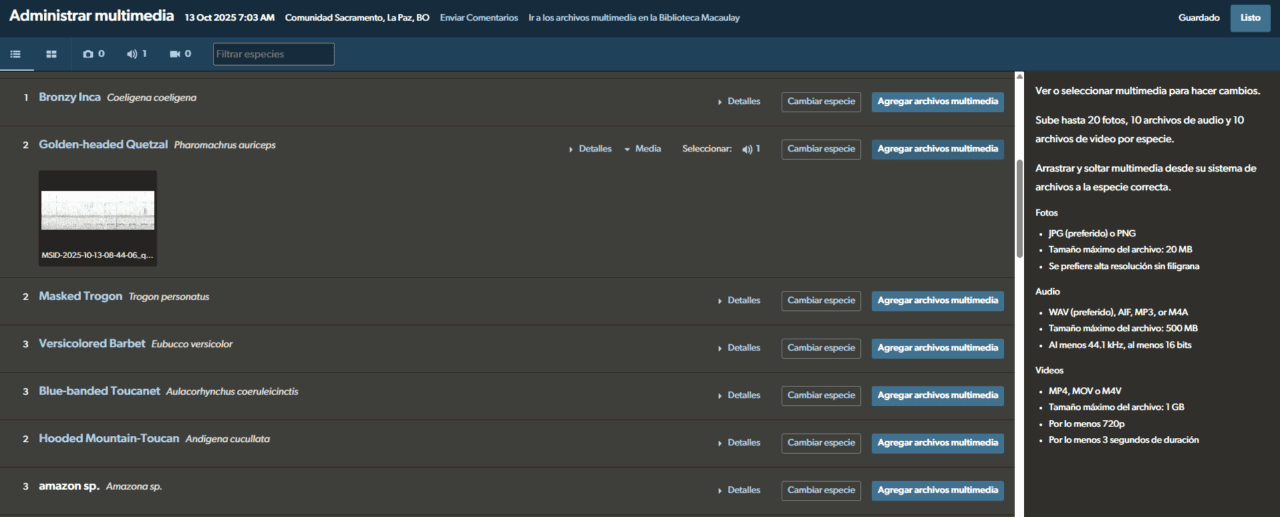
3️⃣ Upload your recordings
You have two options:
- Click “Add media” next to the corresponding species.
- Or simply drag and drop the file directly onto the species name.
4️⃣ Add details (metadata)
Once the file is uploaded, use the panel on the right side to add important information:
- Quality rating: from 1 to 5 ⭐
Use 4 or 5 only if the target bird’s song is very clear or recorded with professional equipment - Comments: add tags or describe the bird’s behavior or the recording conditions.
- Background species: if you recognize other birds singing, list them here.
- Vocalization type: song, call, alarm, etc.
💡 The more information you add, the more useful your recording will be for the scientific and educational community.
✅ All done!
Your recording is now part of a global network of observers and sound recordists.
Each audio helps improve Merlin Sound ID, and contributes valuable information for science, education, and conservation. And most importantly: you’re now participating in our 2026 Challenges!